Page 1 of 1
Help needed on "Tags"
Posted: Tue Nov 14, 2006 9:23 pm
by Colin_M
I understand most of these (eg the formatting ones) but some seem to make very little difference to my postings.
For example, what is the purpose of the URL one? Whether I use it or not, links to other web pages seem to work.
The only time I've sensed that something else was possible is where people have included photos that, when you clicked on them, took you to another place. However I've tried using the URL tag in conjunction with the Img one, but it seemed to make no difference.
Any clues?
Colin
Posted: Tue Nov 14, 2006 9:47 pm
by peter
Uniform Resource Locator a definition
http://en.wikipedia.org/wiki/Uniform_Resource_Locator
I guess that if you enter a full and correct web address that the phpBB software that supports this forum can recognise it and format it accordingly.
However the facility is probably provided to forcibly tell it thata URL that does not get recognised is actually a URL.
I told it that [url]this[/url] was a URL and it just bracketed it with the on off URL switches in preview.
Perhaps Mr PH could educate us both?
Ahoy there Mr Potato Head
Posted: Sun Nov 19, 2006 11:20 pm
by Colin_M
Can you shed any light on this, Mr PH?
Colin
Posted: Mon Nov 20, 2006 9:55 am
by Mr Potato Head
Here we go, then...
If you type in the URL, without a [ URL ] tag, then PHPBB will automatically link it, e.g.
http://www.kitchengarden.co.uk
Also, just plain
www.kitchengarden.co.uk
will work too...
However, some URL's don't have www. at the front, so phpBB won't recognise them without the http:// bit. So you'd wrap it in a URL tag.
kitchengarden.co.uk[/URL ] will produce [url=http://kitchengarden.co.uk]kitchengarden.co.uk
Sometimes you want the link to say something else. In this case, you wrap a word, like
'Great Gardening Website', with the [ URL ] tag... then inside opening tag you type [ URL=http://www.kitchengarden.co.uk]
I hope this helps!
Getting clickable links working
Posted: Tue Nov 21, 2006 7:35 am
by Colin_M
Thanks Mr PH - I can see the logic in this.
Here's one experiment:
Don't try this at home
Here's another:
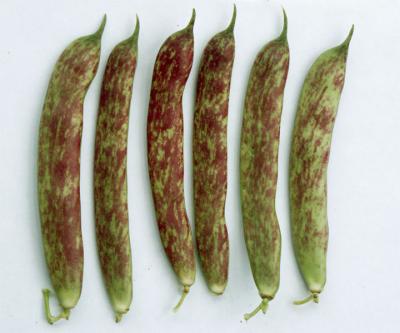
Gosh, I think I'm getting the hang of this! I've been trying to work out how to embed the link in the picture for ages. The syntax is logical, but definitely makes my head hurt though!
Thanks again, Colin
Re: Getting clickable links working
Posted: Tue Nov 21, 2006 7:38 am
by Colin_M
And here's a final one:
Have a look at my gardening follies - please click on the link below:
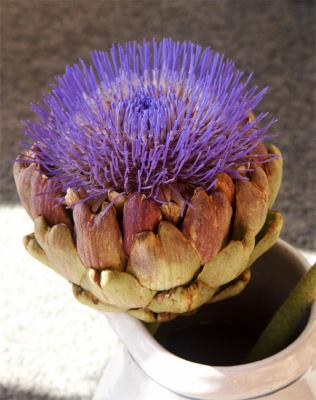
Colin
Posted: Tue Nov 21, 2006 8:56 pm
by peter
Well Colin, all you needed was a potato!
